Connect GoalNexa to Gemini
Last updated 2026-10-17
GoalNexa tracks goals with measurable numbers and forecasts whether each one lands by its date. Connected to Gemini, you can plan a goal, log progress and review how you're doing by just asking - "ran 12 km today" is a check-in. gemini.google.com and the Gemini phone app - a custom app.
What you need
- A GoalNexa account - the free plan is enough, and the AI connection is in every plan.
- Gemini (web, phone). Gemini signs in through your browser - no token to copy.
Connect
- Create your free account - you'll sign in to it when Gemini connects.
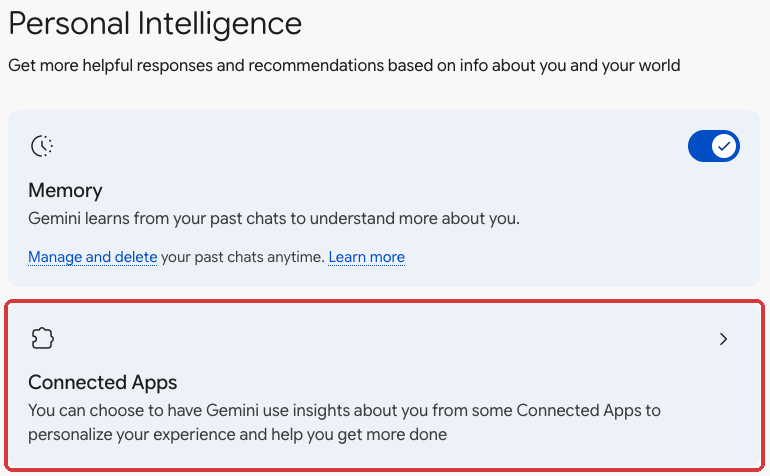
- On a computer, open gemini.google.com → Settings (bottom left) → Personal Intelligence → Connected Apps.
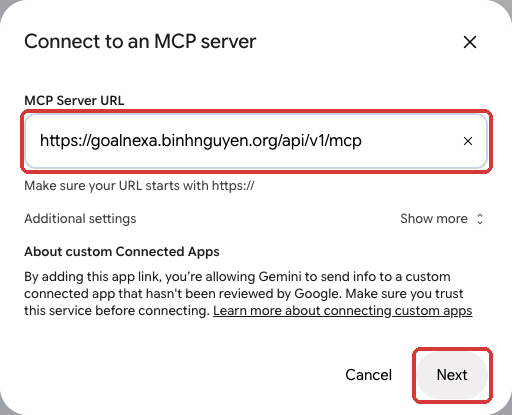
- Under Custom apps, click “Add a custom app” and paste this URL exactly - no trailing slash:
https://goal.pmnexa.com/api/v1/mcp
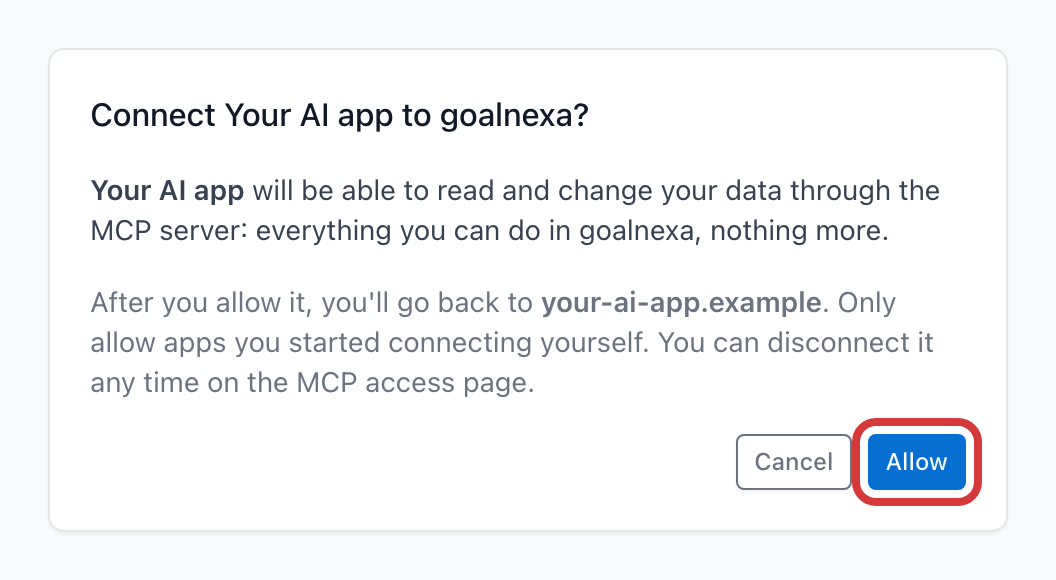
- Click Next. A window opens on GoalNexa: sign in if asked, then click Allow.
- In a chat, type @ and pick the app. Once connected here it works in the Gemini phone app too. Gemini asks before each change.

- Optional: ask your assistant to
Install the goalnexa skills from https://goal.pmnexa.com/api/v1/mcp/skills- it then knows how to plan, check in and review.
Check it worked: Connected Apps lists it under Custom apps, and it's listed under Connected apps on the MCP access page.
Things to try
- "I want to run a half marathon by November - set it up as a goal."
- "Ran 12 km this morning."
- "We're at 420 beta users."
- "How are my goals doing this week?"
Gemini acts as you, with exactly your access, and answers in your language. Check-ins it makes are marked "AI agent" in the goal's activity. Revoke access any time on the MCP access page.
Troubleshooting
- No Personal Intelligence or Custom apps: the account doesn't have custom apps yet (see above) - they're still rolling out.
- “This MCP server is already connected”: it's already added - type @ in a chat to use it.
- Signed in, but Gemini does nothing with it: turn on Keep Activity.
Other assistants
Claude · ChatGPT · Cursor · VS Code · Windsurf · Claude Code · Codex CLI · Gemini CLI · Claude Desktop · All guides
Support
Stuck? Email xuanbinh91@gmail.com or see the contact page.