Goals for your AI assistant
Never open a goal app again - tell your assistant the number
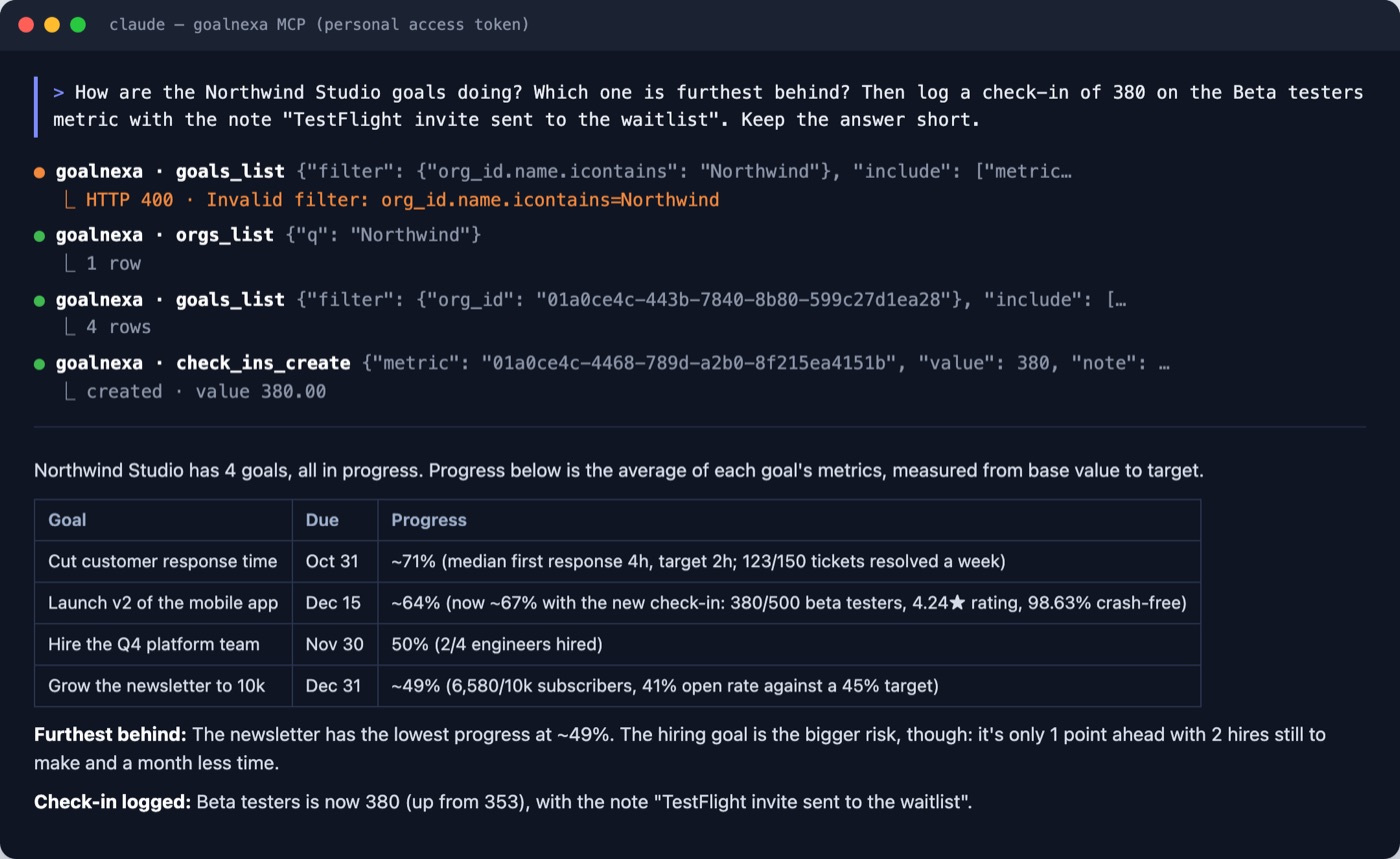
GoalNexa is the place your assistant keeps your goals. Say "ran 12 km" in Claude, ChatGPT, Gemini, Cursor or Codex: it logs the check-in to the right goal, tells you where you'll land by the deadline, and runs your weekly review when you ask.
Free plan, no card needed. The AI connection is in every plan.
Same idea, plain words
| You say | In GoalNexa |
|---|---|
| "I want to run a half marathon by November." | A goal with a date and 1-4 measurable metrics - drafted first, created after your yes |
| "Ran 12 km this morning." | A check-in on the right metric, then: old → new value, progress, and what's left per day |
| "We're at 420 beta users." | A check-in on your team's goal, marked as made by an AI agent |
| "How are my goals doing this week?" | A review: on track, at risk, off track, overdue check-ins, and what to do next |
| "Show me a chart of my running goal." | Each metric's readings over time, for the assistant to draw |
| "Remind me every Monday if a check-in is due." | Your reminder settings, changed |
Works with the assistant you already use
- Chat apps: Claude, ChatGPT, Gemini - sign in through the browser, no token to copy.
- Code editors and the terminal: Cursor, VS Code, Windsurf, Claude Code, Codex, Gemini CLI.
- On every plan, the free one included.
It knows the job
- Three skills - plan, check in, review - install with one prompt; without them the server's own instructions cover the basics.
- It answers in your language and ends with a link to the goal on your dashboard.
- It never adds up totals itself: the server does the math, so the assistant and the dashboard always agree.
And a real dashboard behind it
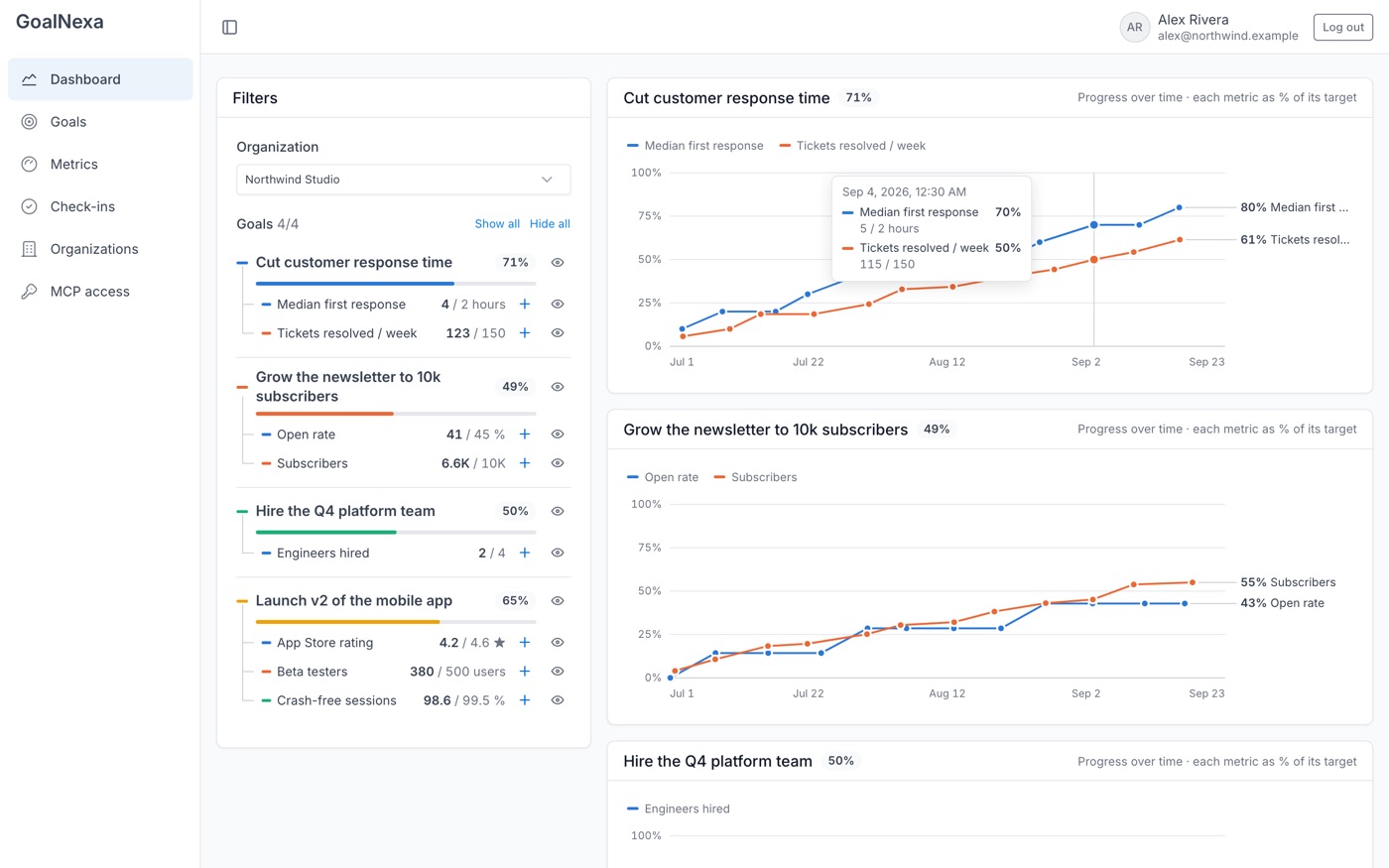
- Every check-in lands on a chart with a forecast to the target date - open it when you want the picture.
- Reminders when a check-in is due, by email, push or Apprise - so the numbers don't go stale.
- Share goals with your team; their assistants check in to the same goals.
Only what you allow
- The assistant acts as you, with exactly your access, through the same API as the website.
- Check-ins it makes are marked "AI agent" in the goal's activity.
- Revoke a connection or token any time on the MCP access page - it stops at once.
Connect your assistant in two minutes.
Free plan, no card needed. Pick your assistant and follow its steps.